
Web Traffic Bot vs CTRTool: Residential IP Traffic CTR Campaigns
You are comparing two tools that both promise residential IP traffic, and the gap between their claims is wider than their pricing pages suggest. One shows you a screenshot of each visit; the other asks you to trust a proxy label. That difference decides whether you can defend a campaign to a client or a stakeholder.
This comparison breaks down CTRTool and Web Traffic Bot feature by feature: screenshot proof, coverage across Google, Bing, Maps and AI Overviews, keyword and location targeting, click behavior, and pricing models. By the end you will have a clear verdict and know which tool fits your campaign.
Quick Verdict: Web Traffic Bot vs CTRTool for Residential IP CTR Campaigns
CTRTool wins on verifiable proof and multi-platform coverage, while Web Traffic Bot appeals to buyers who prioritize residential IP rotation above all else. Both tools sit in the same broad category of traffic and click-through rate support, but they answer different questions. CTRTool answers "can I see what actually happened on each visit?" Web Traffic Bot answers "can I route traffic through residential IP addresses?"
That distinction matters for anyone running a CTR campaign tied to SERP ranking goals. A residential proxy network can look convincing on paper, yet without per-visit evidence you cannot confirm the click landed on the right keyword, from the right location, at the right position. CTRTool's screenshot proof for every visit closes that gap by giving you search and landing screenshots as separate proof images.
Coverage is the second divide. CTRTool supports Google Search, Bing Search, Maps, and AI Overviews, and it tracks keyword positions over time, including Maps listing order and AI citation order. Web Traffic Bot markets residential IP traffic, but public information about its platform coverage and reporting depth is thinner, so claims are harder to check independently.
Neither verdict is absolute. If your single non-negotiable requirement is residential IP rotation, Web Traffic Bot may match that description. If you need documented evidence that each visit happened as requested, CTRTool is the stronger fit.
| Differentiator | CTRTool | Web Traffic Bot |
|---|---|---|
| Proof of visit | Screenshot proof for every visit, with search and landing screenshots as separate images, plus full visit paths | Markets residential IP traffic; per-visit proof is not clearly documented in public materials |
| Platform coverage | Google Search, Bing Search, Maps, and AI Overviews | Positioned around residential IP traffic generally; specific platform support should be confirmed directly |
| Targeting controls | Location verification required; visits that cannot verify the requested location use no credits. Keyword positions tracked over time, including Maps listing order and AI citation order | Residential IP rotation is the headline capability; other targeting controls are not well documented publicly |
| Pricing model | Pay-for-results credit model, no credits charged for technical failures before landing, one credit balance shared across all campaign types, websites and keywords | Pricing structure not verified here; compare directly before committing |
One practical detail favors CTRTool's model for testing: unused credits roll over while subscribed, and a single balance covers every campaign type, website, and keyword. That makes it easier to run a small CTR campaign first and scale later without juggling separate pools.
For SEO teams and agencies that must justify spend with evidence, CTRTool fits better because every visit can be checked. For buyers whose only criterion is residential IP rotation and who are comfortable verifying results themselves, Web Traffic Bot is worth a direct look.
At a glance: how CTRTool compares to Web Traffic Bot on the features that matter most.
| Feature | CTRTool | Web Traffic Bot |
|---|---|---|
| Pricing | $59-$699/mo | — |
| Free plan / trial | ✗ | — |
| Platform / deployment | Online SaaS | Windows software |
| Search engine CTR campaigns | ✓ | ✓ |
| Visit configuration (stay time, pages) | ✓ | ✓ |
| Scheduled / looped tasks | ✓ | ✓ |
| Proxy / fingerprint simulation | — | ✓ |
| Screenshot proof per visit | ✓ | — |
What Is CTRTool?
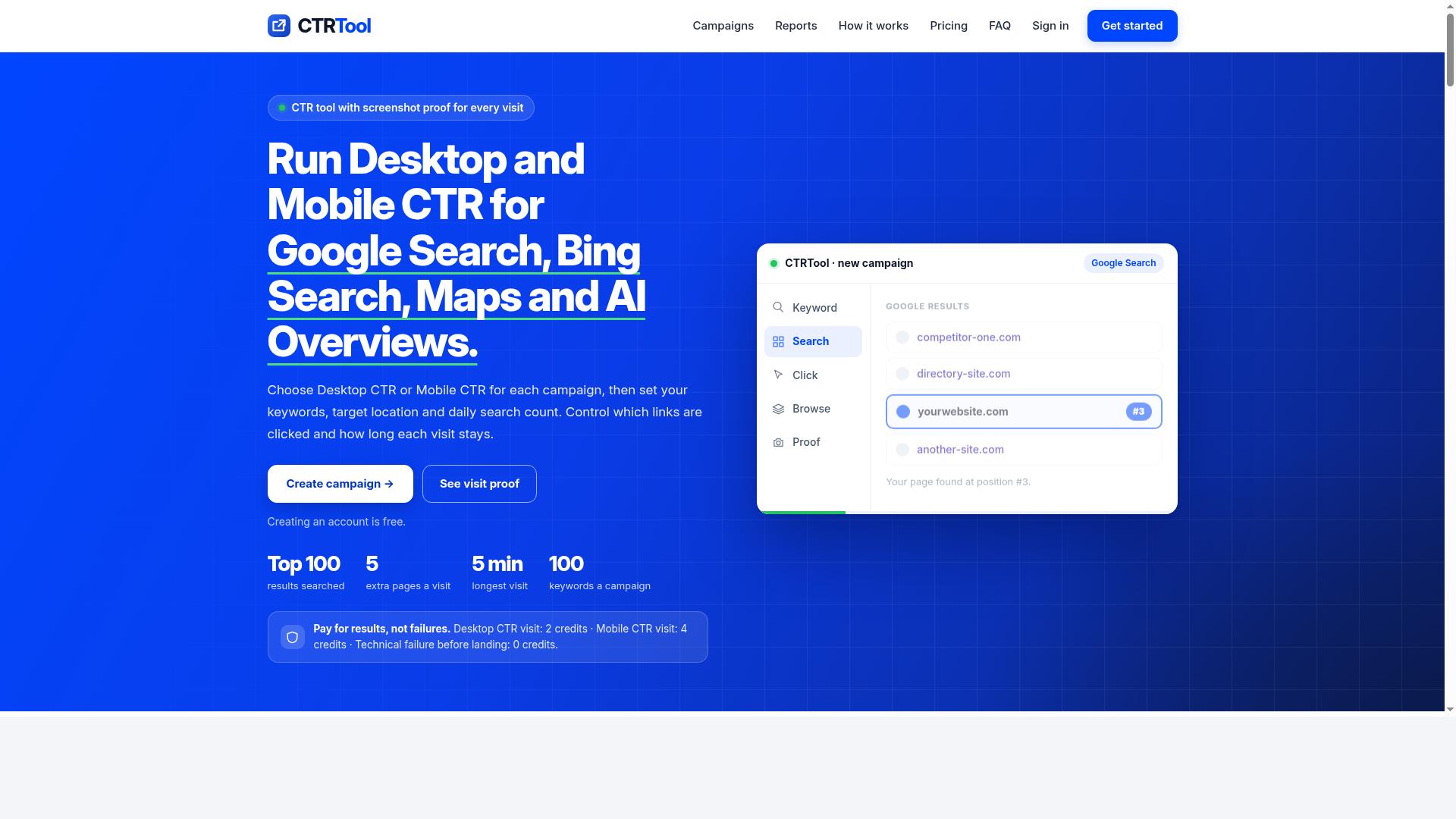
CTRTool is a SaaS platform that runs Desktop and Mobile CTR campaigns for Google Search, Bing Search, Maps, and AI Overviews, with screenshot proof for every visit. It is built for SEO practitioners and agencies who want to influence click-through rate in a controlled, measurable way rather than relying on guesswork.
The core idea is simple. You choose which engine, which keywords, and which location your campaign targets, and the platform delivers visits that match those settings. Each campaign runs as either Desktop CTR or Mobile CTR, so the traffic profile lines up with the device type you are trying to influence.
Proof matters in this category, and that is where CTRTool separates itself from a generic web traffic bot. The platform records search and landing screenshots for every visit, giving agencies a verifiable trail they can review or share with clients.
Campaign setup also gives users control over the details that shape a visit. Users set keywords, target location, and daily search count, and they control which links are clicked and how long each visit stays. That level of configuration keeps a CTR campaign tied to real search behavior instead of raw hit counts.
One practical requirement applies to every campaign. The target page must appear within the top 100 organic results for the chosen keyword. If the page ranks outside that range, the campaign cannot run, which keeps the tool focused on pages that already have a foothold in search.
CTRTool is also upfront about limits. The site states plainly that automated visits do not guarantee rankings. That honesty is worth noting in a market full of traffic generators that imply guaranteed SERP movement. For agencies, the value sits in structured, documented campaigns and clean reporting, not inflated promises.
What Is Web Traffic Bot?
Web Traffic Bot is a traffic-generation service that emphasizes residential IP addresses to simulate organic visits, though its public documentation is less detailed than CTRTool's. In practice, it belongs to a broad category of tools that route automated sessions through residential proxies so that incoming hits look like ordinary users rather than data-center requests.
These tools are typically marketed for CTR campaigns and organic traffic simulation. The pitch is straightforward: send visits that carry realistic IP addresses, vary session behavior, and let site owners influence how their pages appear in analytics and search results.
Because vendor pages often describe capabilities in broad strokes, buyers should treat marketing language as a starting point, not proof. The details that matter most are rarely spelled out in public materials.
Before committing to any traffic bot, confirm the following directly with the vendor:
- Which proxy network supplies the residential IPs, and how large or diverse it is
- How IP rotation works, including how often addresses change and whether reuse is limited
- What approach the tool takes to bot detection and anti-bot systems
- Whether it handles browser fingerprinting, user agent spoofing, and referrer spoofing
- How session duration and dwell time are controlled
Each of these areas affects whether traffic looks credible to GA4 and other real-time analytics platforms. A vendor that cannot answer clearly is a vendor worth questioning.
Web Traffic Bot's public materials appear to lean on feature descriptions rather than verifiable evidence of how its traffic performs against modern detection. That is not unusual in this market, but it does mean the burden of verification falls on the buyer.
CTRTool takes a different posture, emphasizing proof-based verification over broad claims. Rather than asking users to take traffic quality on faith, the approach centers on demonstrating that campaigns behave as described. For readers weighing a residential IP traffic tool for a CTR campaign, that distinction matters: one model asks you to trust the pitch, the other invites you to check the results.
Neither approach guarantees outcomes on its own. What separates them is how much of the assessment you can do yourself before spending money.
Features Compared
This section compares CTRTool and Web Traffic Bot across three practical dimensions: proof and transparency, campaign coverage, and targeting and visit control. Each area matters because a CTR campaign only works when visits look credible and can be checked after the fact.
The evaluation focuses on what can be verified. For CTRTool, every claim below comes from documented product facts. For Web Traffic Bot, details are limited to what its public materials state, so those descriptions stay general and hedged.
Readers weighing a residential IP traffic tool against a managed CTR campaign platform should treat the three areas as a checklist: what proof is provided, which platforms are supported, and how much control exists over visit behavior.
Proof and Transparency: Screenshot-Verified Visits vs Residential IP Claims
CTRTool provides search and landing screenshots as separate proof images for every visit, while Web Traffic Bot's transparency relies on claims about residential IP usage. The difference is between evidence you can inspect and statements you have to trust.
CTRTool goes further with full visit paths and keyword positions tracked over time. Reports cover Search positions, Maps listing order, and AI citation order, so progress on a SERP ranking goal is visible across visits rather than assumed.
The credit model supports that transparency. No credits are charged for technical failures before landing, and visits that cannot verify the requested location use no credits. Unused credits roll over while subscribed.
For Web Traffic Bot, public materials emphasize residential IP traffic. Specific proof mechanisms are not detailed here, so buyers should ask directly. A short checklist helps with any vendor:
- Timestamps on every report entry
- Separate search and landing screenshots
- Visit path logs showing the route through the site
Request sample reports before committing. A vendor that cannot supply these items leaves organic traffic simulation unverified.
Campaign Coverage: Google, Bing, Maps and AI Overviews
CTRTool supports Google Search CTR, Bing Search CTR, Google Maps CTR, and AI Overview campaigns, covering both desktop and mobile. Each campaign type maps to a specific search surface, which matters when a business appears in several places at once.
Google Search CTR campaigns search a keyword and click the organic result, with Desktop or Mobile selection, Top 100 results, and internal pages. Bing Search CTR works the same way on Bing. Google Maps CTR finds a business listing and clicks its website link, checking up to 50 listings across about five pages. AI Overview campaigns require a matching citation before the click.
Web Traffic Bot's public materials emphasize general traffic generation, and specific platform support is not specified here. The table below summarizes the comparison.
| Platform | CTRTool | Web Traffic Bot |
|---|---|---|
| Google Search | Search keyword, click organic result, Desktop or Mobile, Top 100 | Not specified |
| Bing Search | Same keyword and click flow for Bing | Not specified |
| Google Maps | Find listing, click website link, up to 50 listings | Not specified |
| AI Overviews | Find site in overview, click source link, matching citation required | Not specified |
One credit balance is shared across all campaign types, websites, and keywords, with up to 100 campaigns of 100 keywords each. That structure keeps a multi-platform CTR campaign manageable.
Targeting and Visit Control: Location, Keywords and Click Behavior
CTRTool lets users choose Desktop or Mobile CTR per campaign, set keywords, and target a country with optional state and city, or use "Any country" for a mix of supported locations. Campaigns require the page to appear in the top 100 organic results for the chosen keyword and location, which keeps clicks tied to real search visibility.
Visit behavior is configurable too. Users set daily search counts with now, spread out, or gap timing, plus days, hours, and time zone, with daily goals resetting at 00:00 UTC. Target URL, internal page URLs, link text, click order, and scrolling time are all adjustable. Visits can last up to five minutes with up to five additional pages.
Delivery runs through Desktop Chrome windows and real Android phone sessions matched to the target location through managed proxy routes. Custom form filling or other custom actions are available via support with a separate agreed one-time fee.
Web Traffic Bot may offer proxy and IP rotation options, though specific parameters are not specified here. Buyers comparing residential proxies against datacenter proxies should confirm location matching, session duration, and device handling with any vendor.
A practical example: a dentist in Austin wants local visibility. A Maps CTR campaign targets the United States, then Texas, then Austin, finds the listing, and clicks the website link. A paired Google Search CTR campaign uses local keywords with Mobile selected, since most local searches happen on phones. Reports then show listing order and search positions over time.
Pricing Compared
Pricing is where the two services diverge sharply: CTRTool publishes a transparent credit-based model, while Web Traffic Bot's pricing is not publicly detailed in the same way. That difference matters for anyone planning a residential IP traffic CTR campaign, because budget predictability shapes how many campaigns you can run and how confidently you can scale them.
CTRTool displays monthly plans in USD, each paired with a defined credit allowance. Web Traffic Bot's pricing should be confirmed directly with the vendor before you commit, since it is not specified here. The breakdown below focuses on CTRTool's model and explains how to read it against any quote you receive.
Understanding the credit structure is the first step toward comparing real costs per delivered visit.
CTRTool's Pay-for-Results Credit Model
CTRTool sells monthly plans in USD: Starter at $59/month for 2,000 credits (up to 1,000 Desktop CTR visits or 500 Mobile CTR visits) and Growth at $125/month for 5,000 credits (up to 2,500 Desktop or 1,250 Mobile visits). Growth is marked Recommended, which suits campaigns that need steadier volume.
| Plan | Monthly Price | Credits | Desktop CTR Visits | Mobile CTR Visits |
|---|---|---|---|---|
| Starter | $59 | 2,000 | Up to 1,000 | Up to 500 |
| Growth | $125 | 5,000 | Up to 2,500 | Up to 1,250 |
The credit costs are fixed and published. A Desktop CTR visit costs 2 credits, a Mobile CTR visit costs 4 credits, a verified search without a match costs 1 credit, and a technical failure before landing costs 0 credits. Larger tiers exist for higher volume: Scale at $399/month for 20,000 credits and Agency at $699/month for 40,000 credits.
This pay-for-results structure ties cost directly to delivered visits. Unused credits roll over while your subscription is active and expire when cancellation takes effect, so planning around your actual monthly volume pays off. Creating an account is free, and any custom development carries a separate, agreed one-time fee.
Web Traffic Bot's pricing is not specified here and should be requested from the vendor. When evaluating any quote, calculate cost per verified visit rather than headline price, and ask how failed or unmatched sessions are billed. CTRTool's published credit rates make that math straightforward before you spend anything.
Who Should Choose CTRTool
CTRTool is best suited for SEO practitioners and agencies who need verifiable proof and multi-platform campaign coverage for client or in-house sites. The platform is built for people running CTR campaigns across Google Search, Bing Search, Google Maps and AI Overviews, where a single missed surface can leave a ranking story incomplete.
What separates CTRTool from a generic web traffic bot is the emphasis on evidence. Campaigns are designed around screenshot proof and full visit paths, so you can see where a session started, how it moved, and where it ended. That matters when you have to justify spend to a client or defend a strategy in a team review.
The site's guidance also mentions using CTRTool with tier links, PBNs and test properties. That flexibility lets you align campaigns with whatever link structure already supports the site, rather than forcing a single approach onto every project.
In short, CTRTool fits teams that treat CTR work as a measurable discipline rather than a volume game. If you need documentation, multi-platform reach and room to work with different link types, this is the profile the platform was designed around.
Concrete scenario one: a local business targeting Maps listings. A dentist, plumber or restaurant competes for visibility in Google Maps and local search results. The owner or their SEO consultant needs visits that reflect real local intent, with proof that campaigns ran as planned. CTRTool's coverage of Google Maps alongside Google Search and Bing Search means the same campaign structure can address both the map pack and the organic listings, and the screenshot record gives the owner something tangible to review month over month.
Concrete scenario two: an agency reporting to clients. An agency runs campaigns for several clients and must show work in monthly reports. Screenshot proof and full visit paths turn an invisible process into something a client can actually see, which reduces the awkward conversations that follow flat results. The agency can also use tier links or test properties per the site's guidance when a client's link profile calls for it, keeping each account's approach consistent with its own structure.
A quick profile check helps you decide. CTRTool tends to be the better fit when most of the following apply:
- You run campaigns across more than one surface, such as Google Search, Bing Search, Google Maps or AI Overviews.
- You need screenshot proof and full visit paths for client reporting or internal review.
- You work with tier links, PBNs or test properties and want campaign support that matches.
- You handle both in-house sites and client accounts and want one consistent process.
If your needs are narrower, a simple web traffic bot may cover basic page visits. But once proof, multi-platform coverage and link-type flexibility enter the picture, CTRTool's positioning as a campaign tool rather than a raw traffic generator becomes the practical choice.
Who Should Choose Web Traffic Bot
Web Traffic Bot may appeal to buyers who prioritize residential IP traffic and are comfortable verifying vendor claims independently. That profile fits a specific kind of campaign manager, and it is worth naming clearly before comparing approaches.
Residential proxies remain a popular choice in CTR campaign work because they route clicks through consumer-grade IP addresses. For some buyers, that routing method is the deciding factor, and they are willing to accept less visibility into how each visit is executed. The tradeoff is that proof of delivery often rests on the buyer's own checks rather than documentation supplied up front.
This option tends to suit teams that already run their own validation layer. If you have analytics access, log review habits, and the patience to audit traffic after the fact, a residential-focused vendor can fit into that workflow.
It is less suited to buyers who want screenshot-level evidence of each visit before or alongside delivery. CTRTool takes a proof-first approach, where campaign evidence is part of the offering rather than something the customer has to reconstruct. Neither model is inherently wrong, but they serve different expectations about accountability.
Before committing to any vendor in this category, including Web Traffic Bot, request the following:
- A live demo showing how a campaign is configured and launched
- Sample reports so you can judge the level of detail for yourself
- Clear documentation on proxy sourcing, IP rotation, and session handling
- Written terms covering refunds, replacement traffic, and dispute handling
- Answers on how the vendor addresses bot detection and fingerprinting concerns
These requests are reasonable for any residential IP traffic provider. A vendor that answers them plainly gives you something to compare against. A vendor that deflects them tells you something too.
Also consider how each approach interacts with measurement. If your team relies on GA4 or another real-time analytics platform to watch bounce rate reduction and session duration, you need traffic that behaves plausibly in those systems. Ask any vendor how their visits appear in standard analytics, and treat vague answers as a caution flag.
In short, Web Traffic Bot may fit buyers who value residential routing above all and plan to verify results themselves. Buyers who want documented proof built into the engagement will likely find CTRTool's model closer to what they need.
Final Verdict
For teams that need verifiable, multi-platform CTR campaigns, CTRTool's screenshot proof and credit-based pricing make it the more transparent choice, while Web Traffic Bot remains an option for those specifically seeking residential IP traffic. The decision comes down to what you value more: documented evidence that each visit happened, or a residential IP focus that you would need to verify independently.
CTRTool's strengths are concrete and easy to check. It provides screenshot proof for every visit, covers Google, Bing, Maps, and AI Overviews, and publishes its pricing in USD. That combination matters when you need to show a client or stakeholder that a CTR campaign actually ran as described.
Web Traffic Bot's residential IP emphasis is a legitimate angle, since residential proxies can look closer to ordinary household connections than datacenter proxies. Still, claims about network quality, bot detection resistance, and anti-bot performance deserve independent verification before you commit budget. Treat marketing language about residential IP traffic as a starting point for due diligence, not a conclusion.
Use the matrix below to match your priority to the stronger fit.
| Priority | CTRTool | Web Traffic Bot |
|---|---|---|
| Proof of each visit | Screenshot proof for every visit | Verify independently |
| Platform coverage | Google, Bing, Maps, and AI Overviews | Confirm supported platforms directly |
| Pricing clarity | Published USD, credit-based pricing | Request current details |
| Residential IP focus | Not the stated emphasis | Core stated focus |
In short: choose CTRTool when proof and platform breadth top your list. Consider Web Traffic Bot only after you have confirmed its residential proxy claims, coverage, and terms through your own checks. For support or next steps, reach CTRTool at vaibhav@autoblogging.ai.
Frequently Asked Questions
What is the main difference between Web Traffic Bot and CTRTool?
Web Traffic Bot (TrafficBotPro) is Windows software for website automation covering traffic, SEO and ad workflows, whereas CTRTool is an online SaaS built specifically for CTR campaigns on Google Search, Bing Search, Maps and AI Overviews. CTRTool adds screenshot proof for every visit, full visit paths and keyword position tracking, so you can verify each campaign result rather than just sending generic traffic.
Does CTRTool provide proof that visits actually happened, and does Web Traffic Bot?
Yes - CTRTool provides screenshot proof for every visit, with search and landing screenshots stored as separate proof images, plus full visit paths. The researched information on Web Traffic Bot does not state any per-visit screenshot verification, so if proof of each visit matters to you or your clients, that is a key point to compare.
Which platforms can each tool run campaigns on?
CTRTool runs Desktop and Mobile CTR campaigns for Google Search, Bing Search, Google Maps and AI Overviews, with keyword, location and device targeting per campaign. Web Traffic Bot is positioned as general website automation software, and the researched facts do not list dedicated Google Maps or AI Overview CTR campaign types, so check its current feature set if those channels are important to you.
How does CTRTool pricing work compared with Web Traffic Bot?
CTRTool publishes clear monthly USD plans: Starter at $59/month for 2,000 credits (up to 1,000 Desktop or 500 Mobile CTR visits) and Growth at $125/month for 5,000 credits (up to 2,500 Desktop or 1,250 Mobile visits), with a pay-for-results credit model. Pricing for Web Traffic Bot is not stated in the sources reviewed, so you would need to confirm its costs directly before comparing value.
Can I target specific countries, states or cities with these tools?
Yes - CTRTool lets you target a chosen country and optionally a state and city, or select "Any country" to use a mix of supported locations, and it is a global online service with no stated country restrictions. The researched facts for Web Traffic Bot do not detail its location-targeting options, so verify that separately if geo-precision is a requirement.
Do I need to install anything to use CTRTool?
No - CTRTool is online SaaS, so you sign in through the website (ctrtool.com) and manage campaigns in your browser. Web Traffic Bot's TrafficBotPro V5 is described as Windows software, which means installation and running it on a compatible machine. If you prefer a browser-based workflow for yourself or client campaigns, CTRTool is the simpler setup.